





4.6

QR Order & Pay for restaurants.

Turn every table into an ordering point with a QR system connected to your POS. Guests can browse the digital menu, order and pay from their phone in seconds — while your team avoids wait times, errors and unnecessary trips to the table.

Request a free demo
home-dashboard
+1.800 Restaurantes ya disfrutan de las ventajas de Last.app
01

Better experience.

Let your guests browse the digital menu, order what they want and pay when they're ready — all from their phone. No waiting, no flagging down staff, no friction.

02

Grow your revenue.

When ordering is easy, guests order more. The QR system raises the average check and makes it easy to add extras or repeat orders without waiting for a server.

03

Faster service.

Orders placed from the QR at the table go straight to the system and the kitchen in seconds. Fewer errors, less running around, more pace on the floor.

How does a QR code work in a restaurant?

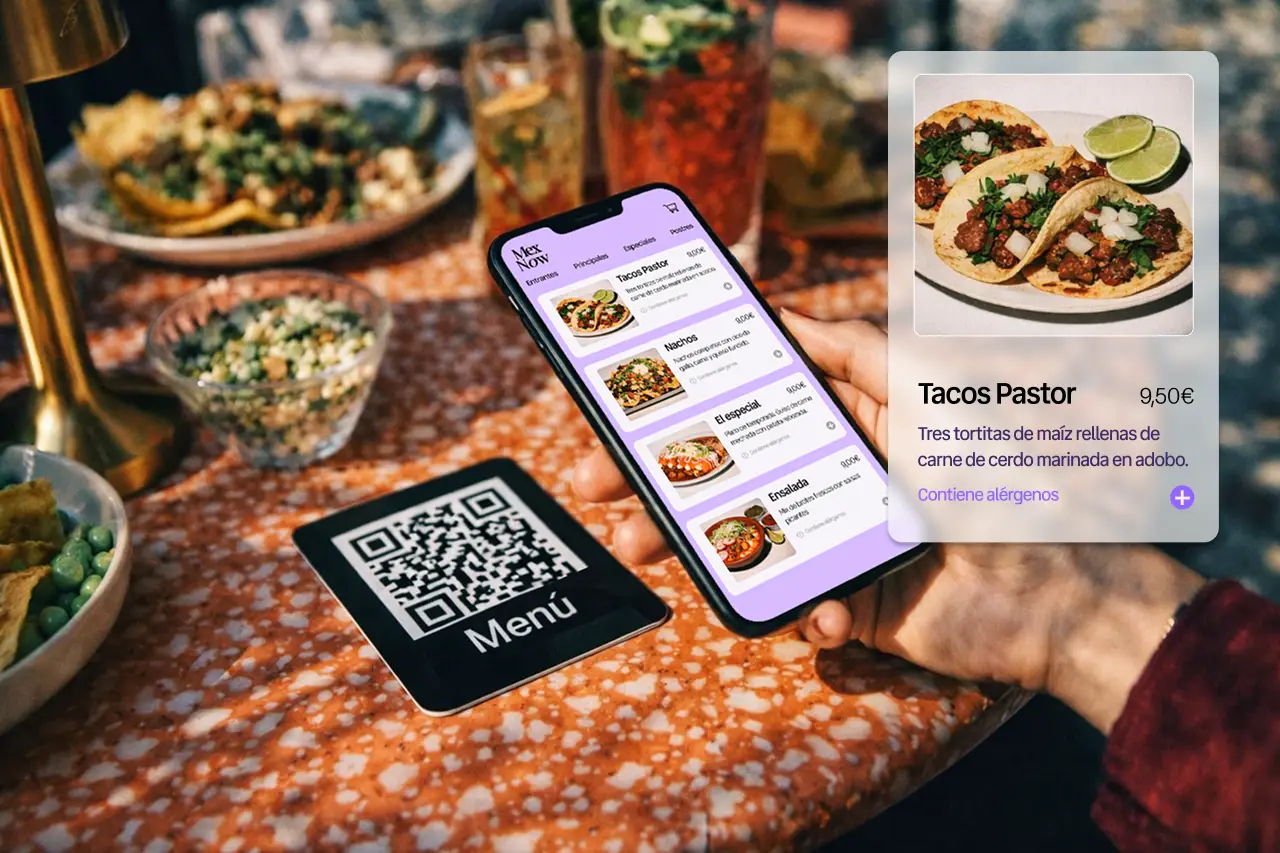
The guest scans the QR code at the table, opens the digital menu and can order or pay directly from their phone. The order goes automatically to the POS and the kitchen in seconds — no extra tablets, no communication errors. The result: fewer waits on the floor, faster service and a team working under far less pressure.
Request a free demo
01

Digital menu and direct orders to the kitchen

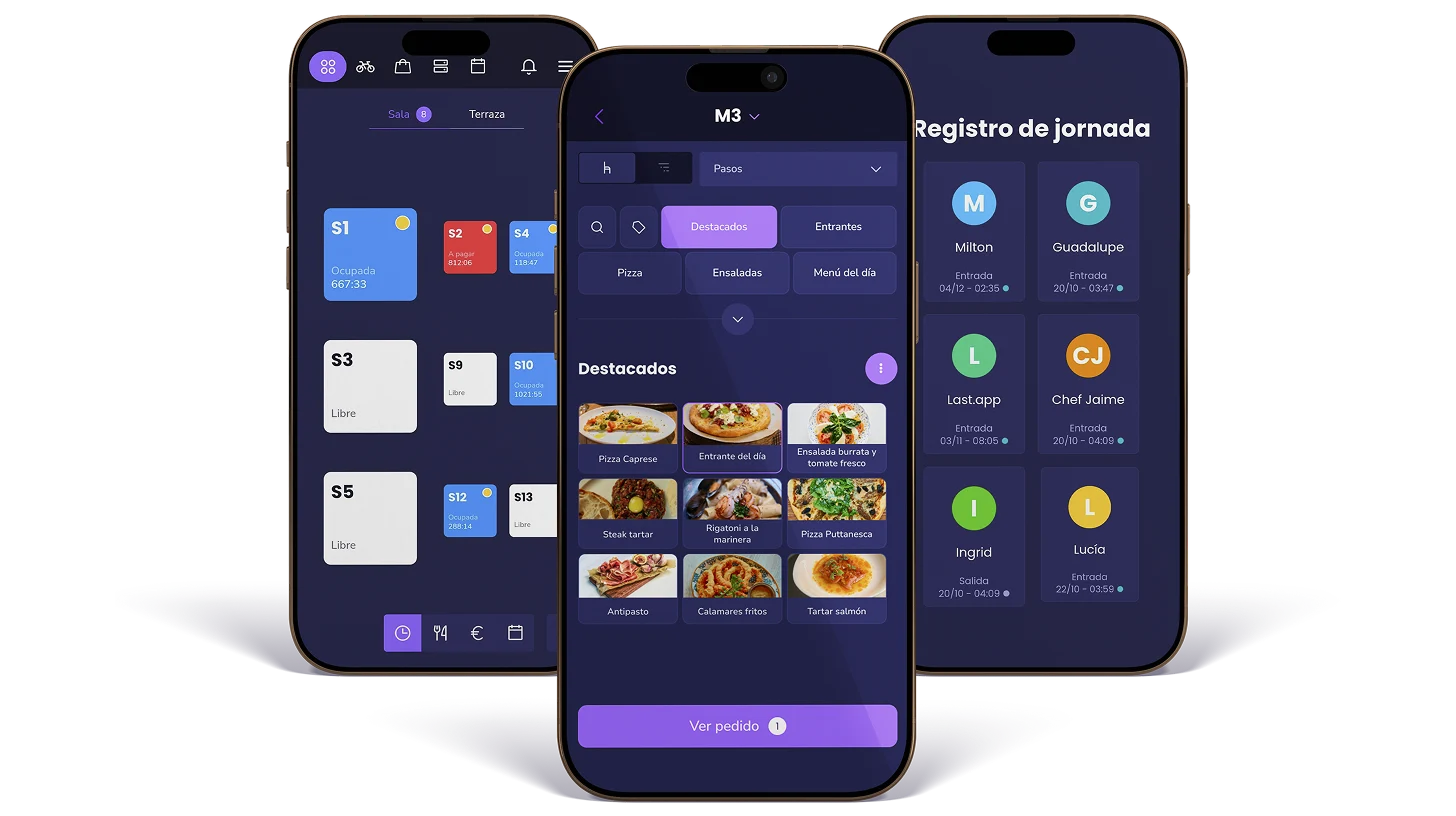
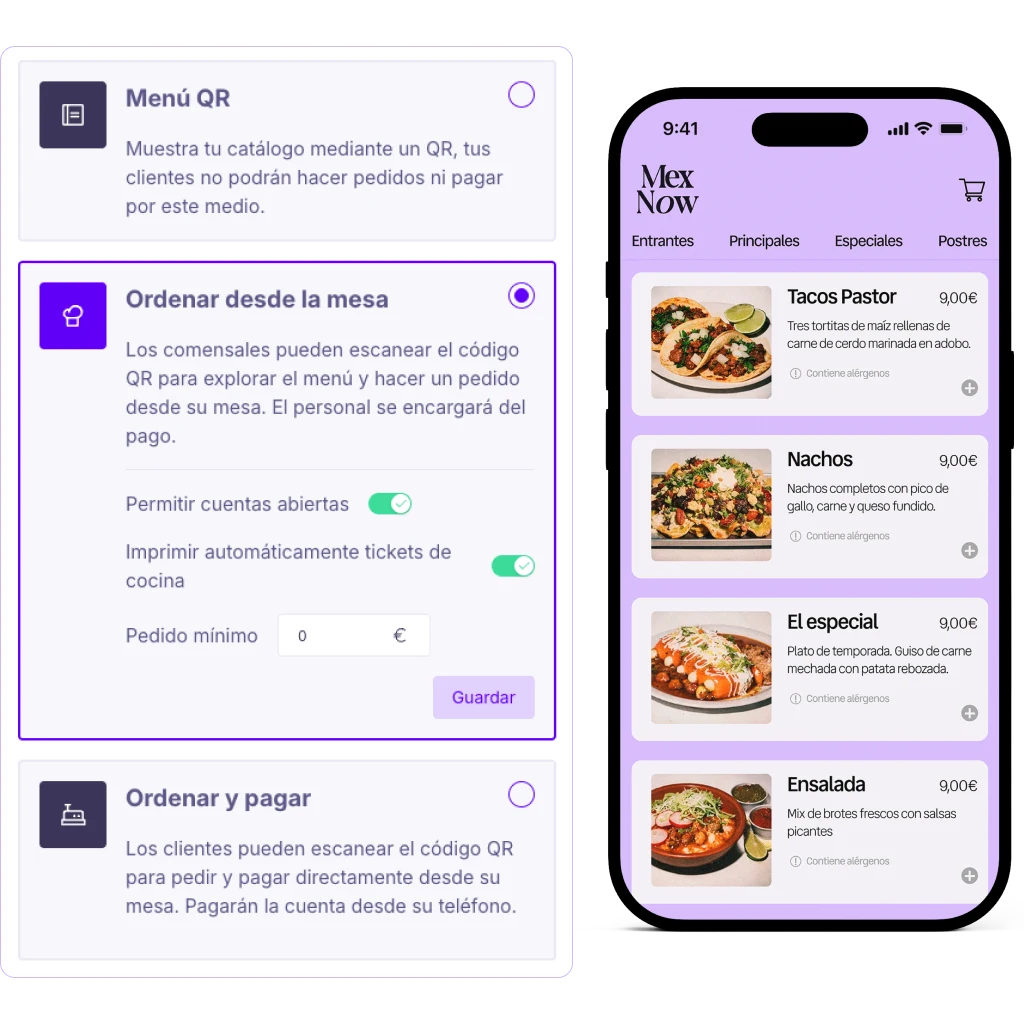
With the QR at the table, guests can browse the digital menu, choose what they want and send their order directly to the kitchen or bar. Everything connects to the POS, so orders arrive clearly and without errors. Ideal for high-volume restaurants or lean teams.

Request a personalised demo
02

Mobile payments and faster table turns

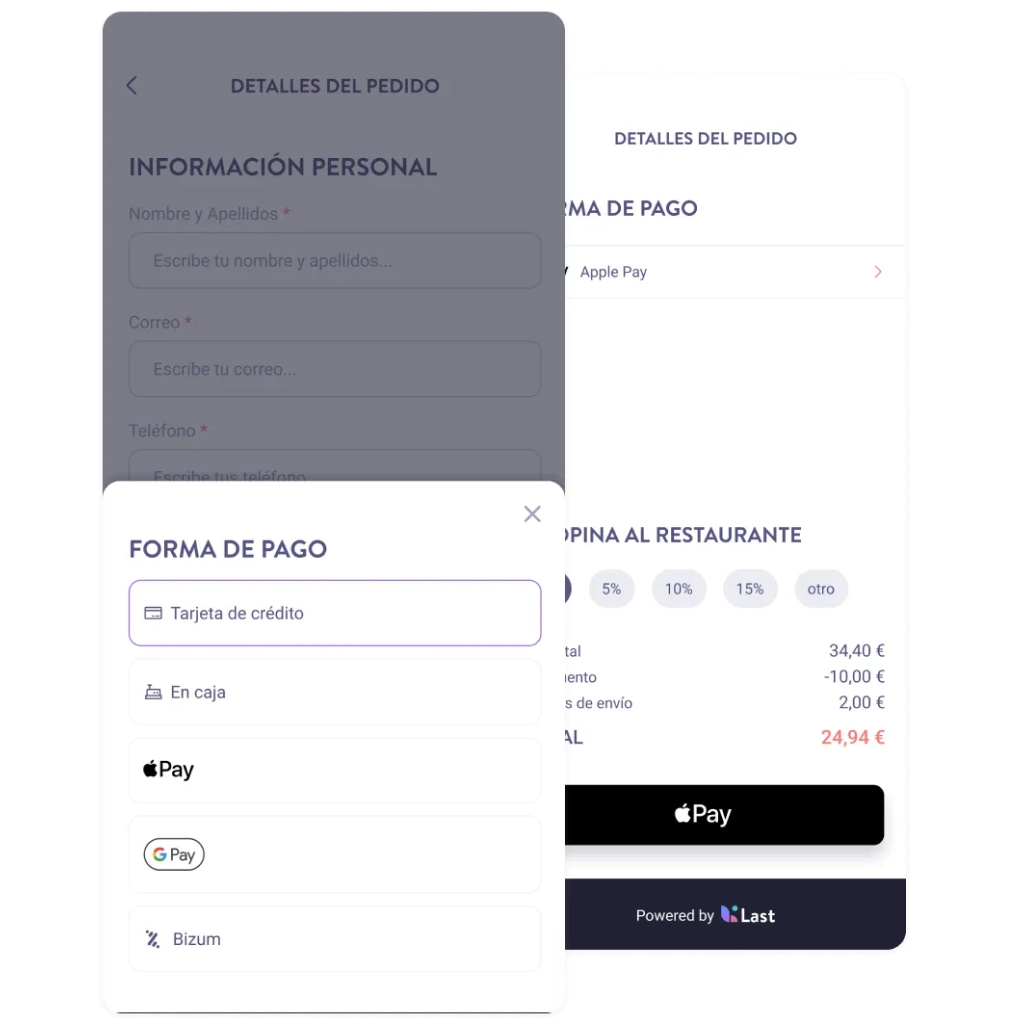
The QR pay system lets guests close their bill directly from their phone. This speeds up table turns, cuts waiting time at the end of the meal and improves the overall guest experience. Many restaurants also see higher tips and a bigger average check thanks to a smoother, faster payment process.

Request a personalised demo
03

QR for takeaway orders too

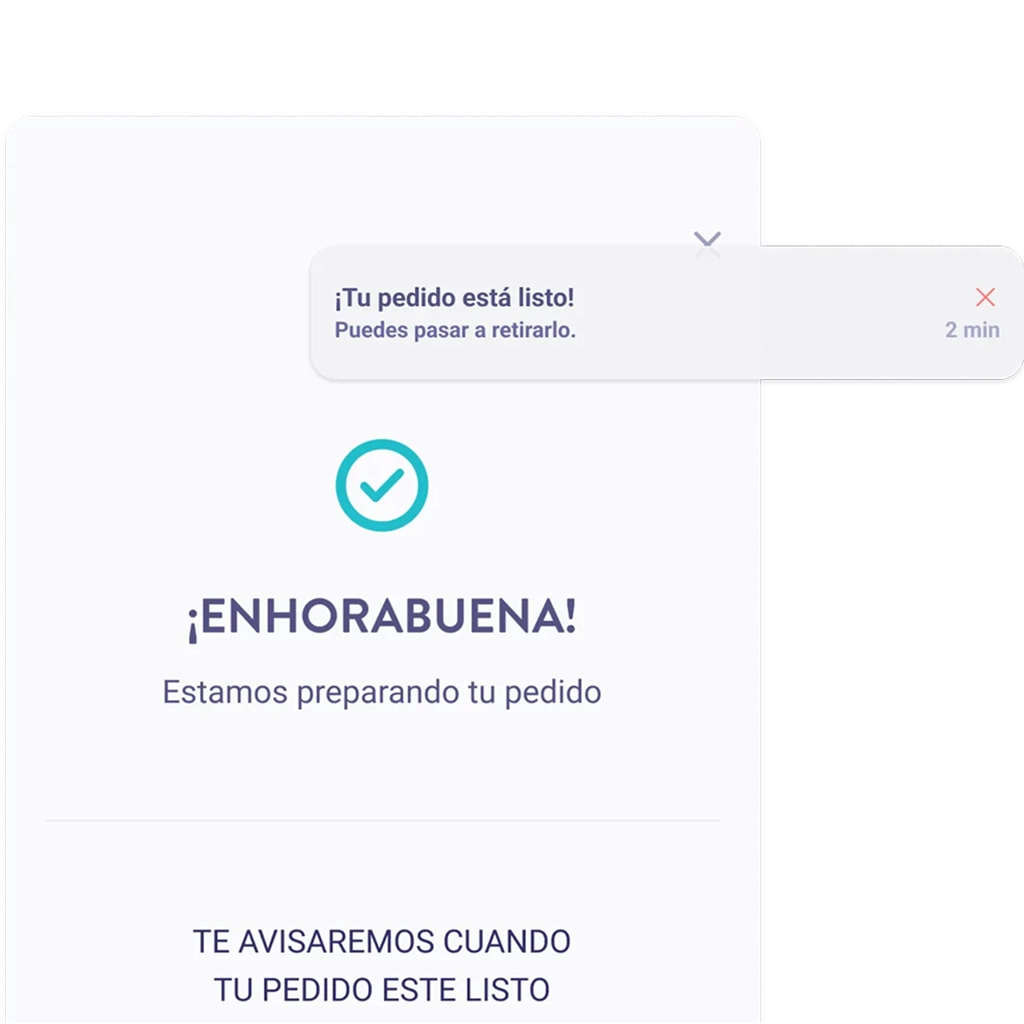
The QR also works for click-and-collect orders. Guests scan, place their order from their phone and get a notification when it's ready to pick up — no queues at the counter. Your team can stay focused on preparing orders without interruptions.

Request a personalised demo
04

How to manage multiple delivery brands from a single kitchen?

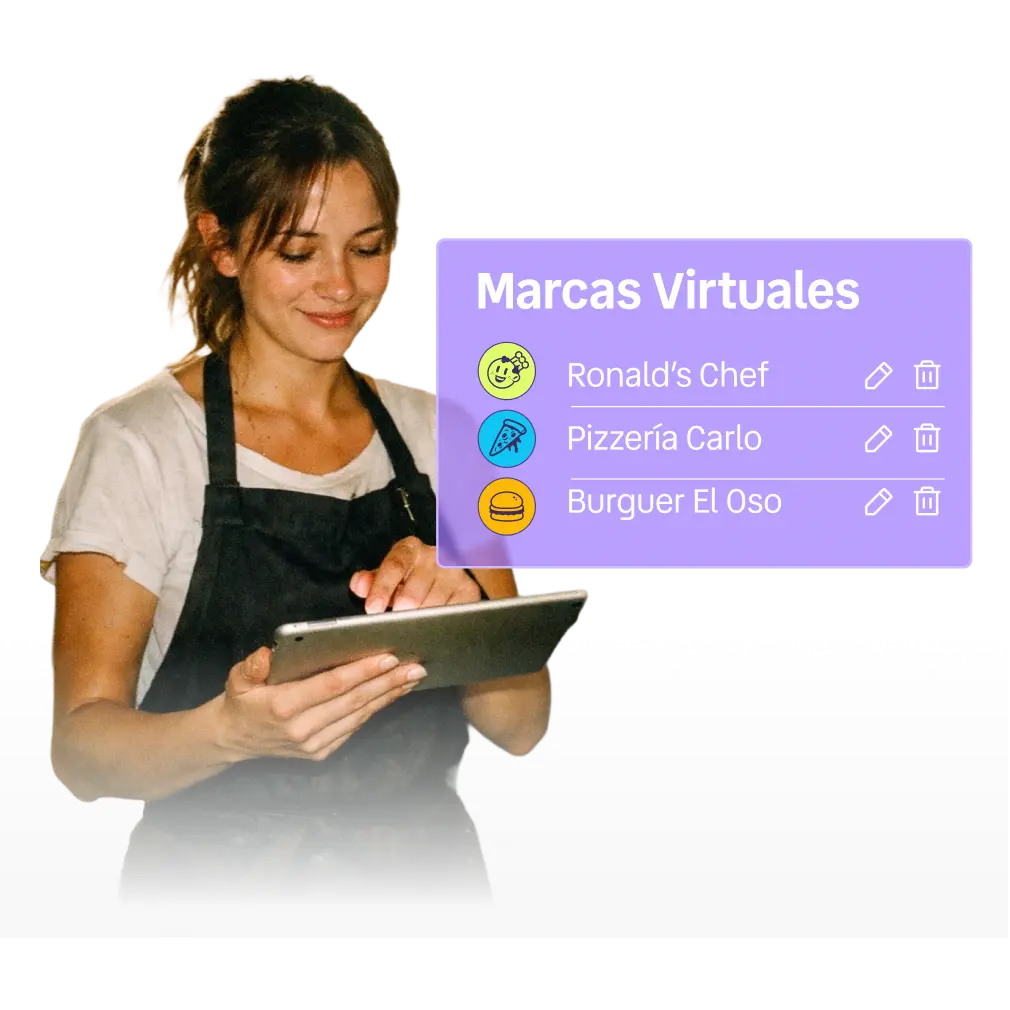
Running multiple virtual brands from one kitchen is one of the most popular strategies in dark kitchens. With management software connected to your POS you can centralise all delivery orders, organise kitchen production and control each brand from a single system — no duplicated processes, no loss of control.

Request a personalised demo

Want to turn your tables into ordering points?

Let your guests order and pay from their phone while your team focuses on delivering a great experience.
Request a free demo

Other tools in the Last.app POS

Last.app is more than POS software. It's a complete platform to manage orders, sales and operations at your restaurant from one system.

Server Handhelds

Manage orders at your restaurant faster and with less effort using a handheld designed for your floor staff.

How it works

Reservations

Organise your reservations in the simplest way, improve your guests' experience and grow your revenue.

How it works

Stock

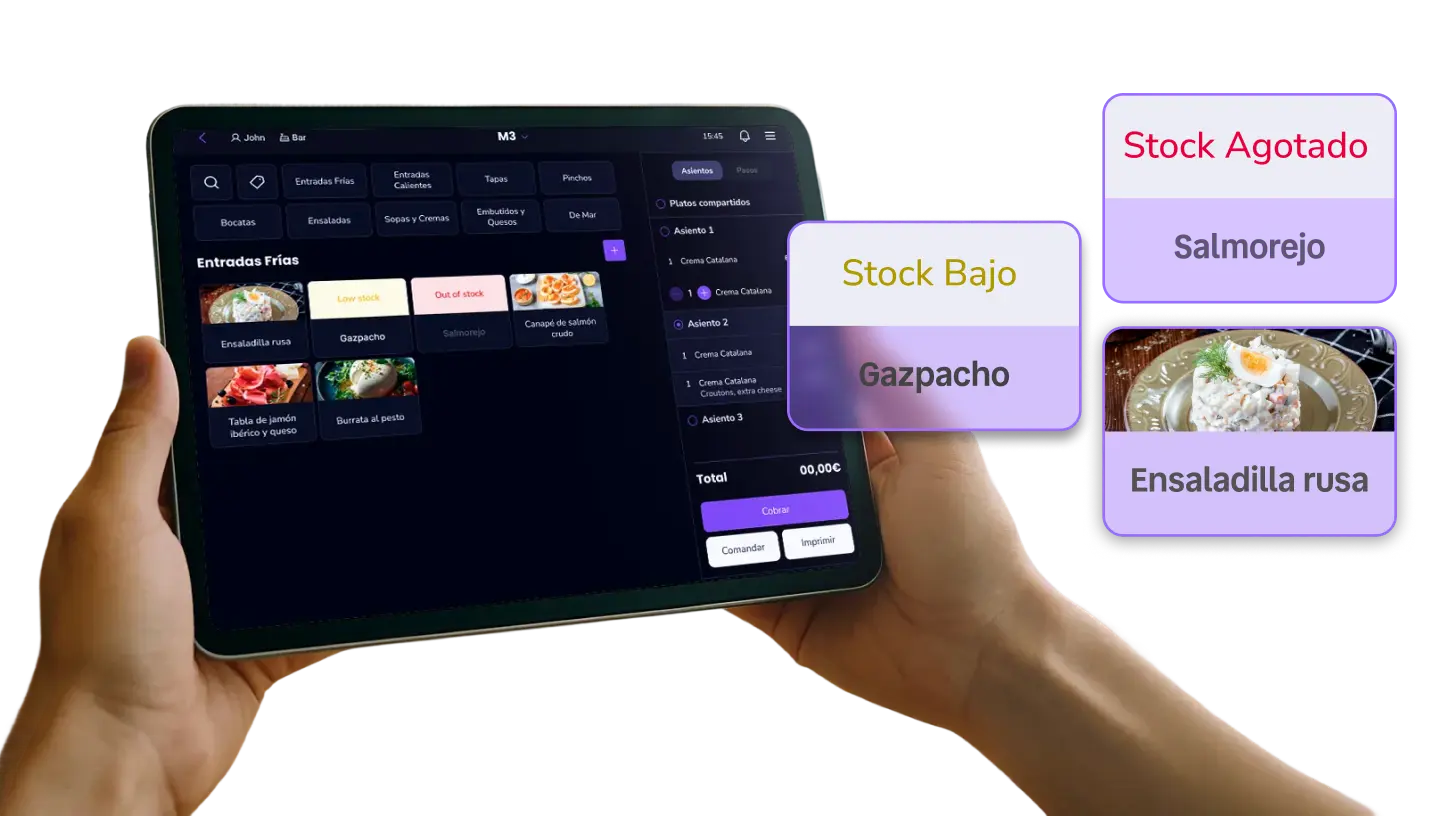
Last.app's stock control automatically syncs the dining room, delivery and takeaway to prevent errors and improve how you run your restaurant.

How it works

Frequently asked questions

1. How does the QR code work for ordering at the table?

Faq Plus

2. Do orders go directly to the kitchen?

Faq Plus

3. Can guests pay the bill from their own phone?

Faq Plus

4. Does this system help me sell more?

Faq Plus

5. Can I use the QR for takeaway orders?

Faq Plus

6. Which payment methods does the QR system support?

Faq Plus