Do I need a KDS in my restaurant?

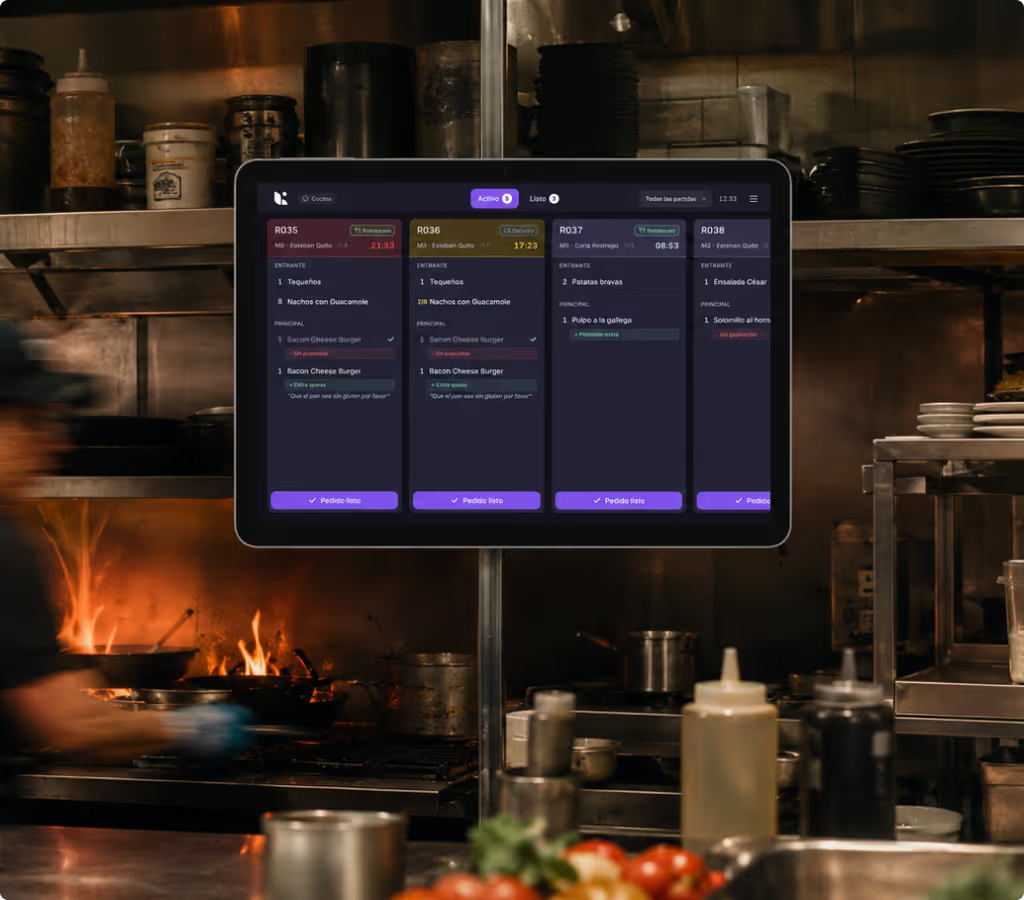
If you've walked through a fellow chef's kitchen, you've probably spotted those screens hanging from the ceiling or perched on stainless steel shelves — and felt a twinge of envy. Because yeah, having screens in the kitchen, ditching the paper notes, keeping everything under control at a glance — it looks good.
And honestly, it's normal. It's like seeing your mate get a projector with a gorgeous soundbar for their living room while you're still watching the latest season of Euphoria on your university laptop, lying on the sofa. Both work fine. But before you go and buy a KDS and overhaul your kitchen workflow, let's look at what a KDS actually is, what type of restaurant it's for, and — most importantly — whether you actually need one, or can keep watching Zendaya on an 11-inch screen.
What is a KDS?
The basics: a KDS is a Kitchen Display System — a screen-based setup where your kitchen team can see incoming orders, automatically and intuitively organised, without anyone losing their mind searching for tickets, shouting out orders, or asking "was this for dine-in or delivery?".
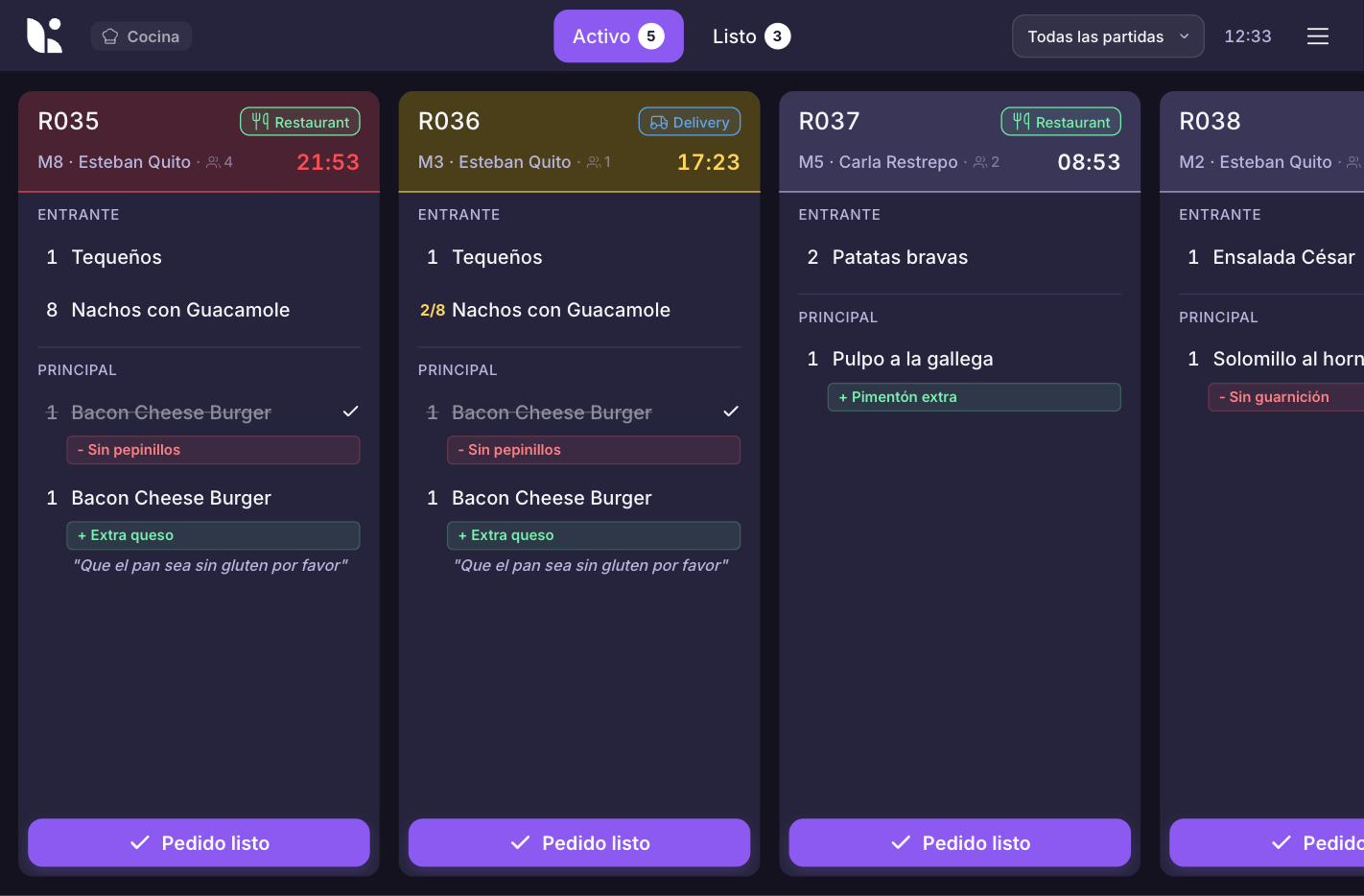
A KDS connects with your POS, your delivery system, your QR, your floor orders, or your online orders, and routes each order to the right screen. It can display times, statuses, colours, priorities, modifiers, allergens, customer notes, and even split by workstation.
The point isn't just "put up screens because it looks cool". The point is that the team sees things more clearly, makes fewer mistakes, prioritises smarter, and works with less mental noise. Because there's already enough real noise in a kitchen without adding the spiritual noise of a printer spitting out tickets at full speed.

Who is a KDS for?
Restaurants with multiple order channels: dine-in, takeaway, delivery, QR, and everything else
If your restaurant takes orders from the floor, by phone, via delivery apps, for takeaway, and through QR, a KDS starts making a lot of sense. Not because you're a burger multinational, but because complexity doesn't always come from size — it often comes from chaos.
In this kind of operation, the problem isn't just that a lot of orders come in. The problem is that they come in from different places, at different times, with different expectations. The dine-in customer wants their food hot. The rider wants to pick up now. The takeaway order has been waiting 10 minutes. Table 7 asked for no onion. And someone, somewhere in that kitchen, has to sort all of it out without it turning into a choreography of shouting.
A KDS helps because it centralises information and lets each order arrive with its context. Preparing a burger for the dining room is not the same as preparing one that has to travel 20 minutes in a thermal bag with more kilometres on it than a 2004 Seat Ibiza. If the KDS distinguishes channels, times, and priorities, the kitchen can organise itself better — and above all, reduce errors, duplicate orders, lost tickets, and dishes that go out before they should.
Fast-service chains and quick-service restaurants
If you run a quick-service restaurant, a KDS isn't a nice-to-have — it's almost essential. In fast-service, every second counts, and not in a motivational-poster-for-chefs-who-watched-The-Bear kind of way, but literally. If you're too slow, you get a queue. If you get a queue, the experience drops. If the experience drops, people get anxious. And when hungry people get anxious, all sense of civilisation tends to evaporate.
Here, the KDS works really well because it organises the workflow. Orders come in, get prioritised, get assigned to stations, and get marked as done. The team doesn't have to rely on someone calling everything out correctly, or on a printer spitting tickets out in an order that actually makes sense for production. The screen tells everyone what's coming next, what's running late, and what needs to go out now.
In chains or multi-location businesses, a KDS also enables standardisation. The kitchen in one location works the same way as the kitchen in another. Times can be measured. New staff learn faster. Managers can spot bottlenecks. Less "every location does it their own way" and more analytics and control — something absolutely essential for businesses that run on volume and timing.
High-volume restaurants that need organisation
Some restaurants aren't fast-service, don't have 15 locations, and don't serve 400 burgers a day — but they run very intense services. Lots of tables, lots of orders, lots of modifiers, lots of "this goes first", lots of "table 12 is in a hurry", and lots of stacking up.
Instead of having physical tickets piling up with no clear read on the actual state of the kitchen, the team can see what's pending, what's in progress, what's running late, and what's already done. It also lets you spot problems that used to hide in the noise. If the fryer is always getting backed up, if the pass is stacking plates, a KDS gives you signals. And when you have signals, you can make decisions. Without signals, all you have is instinct, sweat, and someone saying "tonight was a disaster" without knowing exactly why.
Restaurants with multiple workstations: bar, grill, fryer, desserts…
If your kitchen or operation has multiple sections, a KDS can be especially useful. Because the problem isn't just "which order came in" anymore — it's "who needs to do which part of this order". One ticket might include a piece of meat on the grill, some fried sides, a dessert that shouldn't go out yet, and two cocktails at the bar. All on the same ticket. All with different timings. All with different people handling them.
This is where the KDS lets you route. Each station only sees what it needs to see, or sees it organised in a useful way. The grill doesn't need to read the coffee orders. The bar doesn't need to know about the nachos. Desserts don't need to suffer through the whole service drama from minute one. Each team gets their part, works better, and coordinates with the pass.
The advantage is huge when dishes need to go out together. Because cooking well is one thing, and coordinating well is another. You can have an incredibly talented kitchen team and still fail on timing if each section goes its own way. The KDS helps synchronise, track statuses, and give the pass a clear view of when a whole table can go out — without making one half of the order wait while the other half goes cold like an awkward conversation.
Dark kitchens, virtual brands, and delivery-focused businesses
If you're running multiple virtual brands or have a kitchen focused heavily on delivery, a KDS can literally be your command centre. In a dark kitchen, the customer doesn't see the venue, doesn't talk to front-of-house staff, and doesn't have the emotional buffer that sometimes exists in a physical restaurant. Their experience is: ordered, waited, received, ate. If something arrives late, badly assembled, or cold, there's no front-of-house smile to fix it.
In these cases, a KDS helps organise orders by brand, channel, pickup time, and status. It also prevents the team from mixing up similar orders from different brands — something that happens quite often when burgers, bowls, tacos, fried chicken, and some ghost salad brand nobody really knows how it ended up there are all coming out of the same kitchen.
You're tech-minded and want more control over everything
This profile exists too, and there's nothing wrong with saying it. There are restaurant operators who love having data, screens, workflows, automations, and seeing the operation like it's a management simulation game. And honestly, god bless them — us tech enthusiasts genuinely appreciate them, let's be honest.
If you're the type who wants to measure prep times, reduce errors, go paperless, spot bottlenecks, and run a tighter kitchen, a KDS will probably appeal to you. Not just visually, but because it turns one of the most chaotic parts of a restaurant into something traceable. And when something can be measured, it can be improved.
That said, being tech-minded doesn't mean buying technology for the sake of it. A KDS makes sense if you're connecting it to a real problem. If your kitchen runs fine with a printer, your volume is low, and your orders are simple, maybe you don't need another screen in your life. You've got plenty already — phone, POS, laptop, Netflix — no need to add another one if it's not going to add value.
How much does a KDS cost?
As with everything, the range is wide. You can go for fairly affordable per-screen options, or more complete systems with professional hardware, installation, brackets, ruggedised displays, and the whole setup. The question isn't just "how much does a KDS cost?" — it's "what exactly does my kitchen need?".
In plain English: if you already have compatible tablets and just need a kitchen screen, you can start relatively cheaply — in the range of €15–30 per month per screen depending on the provider. If you want professional hardware, multiple stations, brackets, installation, and a more serious setup, you're no longer buying "a small screen" — you're building a small kitchen infrastructure.
And here's the less glamorous but more important part: don't just look at the monthly price. Look at how many screens you need, whether it integrates with your POS, whether it supports your delivery channels, whether you can split by section, whether your team will get it in three minutes or need a training week, whether it holds up against grease, heat, and pressure — and whether, if the internet goes down, it leaves your kitchen looking like a piece of contemporary performance art.
So, do I need one or not?
You need a KDS if your kitchen is starting to struggle with volume, channels, coordination, or errors. If you have multiple order entry points, multiple sections, heavy delivery, lots of modifiers, or a team that keeps asking "has this gone out yet?", a KDS can probably help you quite a bit.
You don't need one as much if you have a small operation, few simultaneous orders, a very linear kitchen, and a printer that still does the job without drama. In that case, sure, a KDS might be cool — but so would a new ice machine, and you're not buying that just because it would be nice.
The key is not buying technology for appearances. A KDS is not industrial decor to make your kitchen look more modern on Instagram Stories. It's a tool to organise the chaos. If your chaos is already costing you money, time, errors, or bad blood between front-of-house and kitchen, maybe it's time to look at screens.
And if not, no worries — you can keep using your tickets a while longer. Zendaya won't be offended that you're still watching her on a laptop.