Schedules by area: create, save, and turn them on when you need them

The season changes and you have to touch the hours again: the kitchen starts prepping earlier, the online store closes differently on Sundays, reservations cut off an hour earlier than usual in summer. Until now, every change meant going into Hours and overwriting the schedule you already had active, without keeping the old one in case you needed it again next season.
That's why you can now create as many schedules as you need, name them, and save them even if you don't activate them yet.
Schedules saved, ready for when you need them
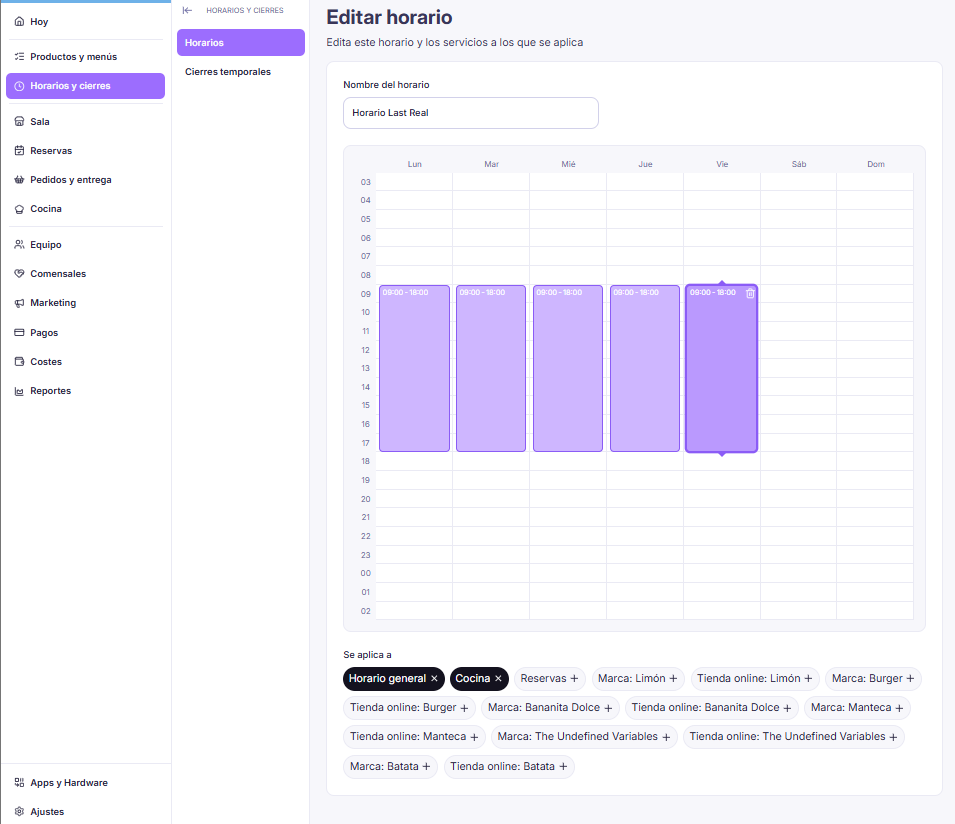
From Horarios y cierres → Horarios in your LastAdmin panel, you can create a new schedule, give it a name that identifies it (a season, a type of service, whatever makes sense for your restaurant), and set its hours on a weekly calendar, marking the opening and closing window for each day directly. That schedule stays saved even if you don't activate it yet, so you can have your summer schedule ready in March and apply it in June without building it again from scratch. A season change stops being an afternoon spent rebuilding schedules and becomes just switching on the one you already had ready.
One schedule for each part of your restaurant
Each schedule you create can be assigned to a specific part of the business: Kitchen, reservations, Brand (the hours you sell on delivery platforms), or your online store, plus a general schedule for the whole restaurant. Each of those areas can only have one active schedule at a time: as soon as you assign a new one, the previous one is automatically deactivated, so there are never two schedules competing for the same slot.
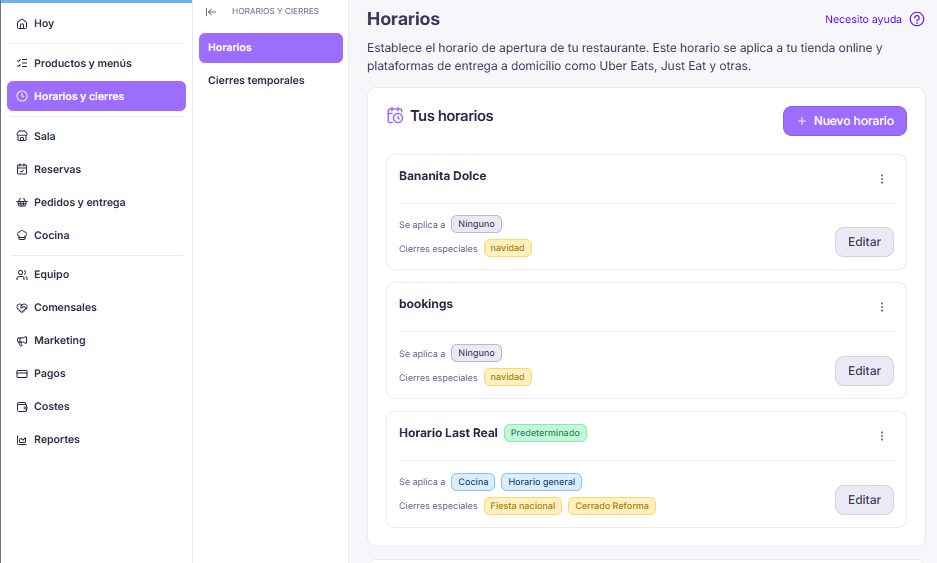
That means the kitchen can keep prepping after the dining room has already closed, without that margin affecting the time you stop taking reservations or the online store switches off. Each area gets its own real schedule, not one single schedule forced to cover everything.
See you in the next update.