Time tracking in restaurants: how to comply with the law without the headaches

A lot happens at once on a restaurant team's average day — someone swaps a shift because of a doctor's appointment, someone else stays an extra half hour because service ran long, and before you know it, nobody can say exactly who clocked in, who clocked out, or how many hours were actually worked.
Welcome to the wonderful, delicious world of hospitality.
That's why time tracking in restaurants isn't just another legal box to tick in that folder of things the government asks for and you're still not entirely sure why. It's a tool to protect the business, the team, and day-to-day operations. Because when schedules are managed loosely, problems show up reliably.
The legal framework: what the law actually says about time tracking
Let's start with the legal side — because that's what drives most restaurant owners to put a time tracking system in place.
In Spain, labor law requires companies to keep a daily record of their employees' working hours. This applies to restaurants, bars, cafés, dark kitchens, restaurant groups, and any business with contracted staff.
The obligation comes from Article 34.9 of the Workers' Statute, introduced by Royal Decree-Law 8/2019. In plain terms: every company must guarantee a daily time log that includes the exact start and end time for each employee.
The record must exist, must be reliable, and must be kept for four years. It also has to be accessible to employees, their legal representatives, and the Labor Inspectorate.
And here's the part nobody wants to read, but every restaurant should know cold — non-compliance can be expensive.
Failing to meet obligations around working hours, overtime, rest periods, or time records is classified as a serious infraction. Fines can range from €751 to €7,500, depending on the circumstances and severity.
And beyond the fine, there's another cost that doesn't appear in any official gazette but you'll feel in your bottom line: loss of control, internal conflicts, disputes over hours, arguments about shifts, and a general sense of every-team-member-for-themselves.
What a time tracking record needs to include
A time record should be simple and easy to review. At minimum, a time tracking system should capture:
- Employee name or ID.
- Date of the shift.
- Actual clock-in time.
- Actual clock-out time.
- Shift or time block worked.
- Any edits made to the record.
- Who made each edit.
- Notes or justification for changes, errors, or incidents.
That last one is key. Because yes, mistakes happen. Someone forgets to clock out, enters the wrong PIN, a manager corrects a record, or the shift changes on the fly because service went sideways. The point isn't to pretend that never happens. The point is that when it does, it's documented.
A good time tracking system needs to allow corrections without losing the audit trail. Meaning you can see what changed, who changed it, and why. Because a correction without context looks suspicious. A well-documented correction is just a correction.
Here's an example of what a basic employee time record should look like 👇🏾
| Field | What to record | Status |
|---|---|---|
| Employee | Full name or internal ID of the person clocking in. | Required |
| Shift date | The exact day the work record applies to. | Required |
| Actual clock-in time | The exact moment the employee starts their shift. | Required |
| Actual clock-out time | The exact moment the employee ends their shift. | Required |
| Shift or time block | The hours worked — especially useful for split shifts or last-minute changes. | Required |
| Record edits | Any change made to a clock-in, clock-out, or time block already recorded. | Recommended |
| Edited by | The person who edited the record — to maintain an audit trail and avoid disputes. | Recommended |
| Notes or justification | Reason for the change, error or incident: missed clock-out, shift adjustment, technical issue, etc. | Recommended |
Pro tip: the cleaner the record, the less time you'll spend explaining what happened later.
Good practices so your team clocks in without the drama
Time tracking only works when it becomes a habit. If it depends on someone remembering "when they get a chance," you're already in trouble. We all know how it goes in a restaurant — "when I get a chance" usually means never, because a table of 12 just walked in.
Here are some good practices so time tracking becomes part of the operation instead of a daily battle.
1. Always clock in when you arrive and out when you leave
Seems obvious. But the obvious is always the first thing to fall apart during a rush. The rule should be simple: before you start, clock in. When you're done, clock out.
If the team internalizes that clocking in is part of starting and ending their shift, everything runs more smoothly.
2. Put the system where the work actually happens
If the time tracking system is tucked away in a back office, on a computer nobody uses, or on a tablet that's always out of battery — that's not a system, it's an excuse to fail.
The ideal setup is a system integrated into the team's actual workspace. For example, on the POS, on a restaurant tablet, or on a device that's accessible before the shift starts.
3. Explain the why, don't just impose the what
Time tracking isn't about surveilling the team as if the restaurant were a police station with a wine list. It's about having clear data, meeting compliance requirements, avoiding misunderstandings, and protecting both the business and the people working in it.
When the team understands that the record also serves to prove hours worked, rest periods, and shift changes, there's usually a lot less pushback.
4. Review incidents regularly
Don't wait until the end of the month to discover 27 incomplete records, 4 unlogged clock-outs, and a shift that looks like it was written by someone after a double service.
Reviewing records every two weeks or once a month helps you catch errors quickly, fix them while the context is still fresh, and avoid impossible-to-reconstruct backlogs.
5. Document every correction
If someone forgets to clock in, it's not the end of the world. But it does need to be fixed properly.
The right move is to add a note explaining what happened — "missed clock-out," "corrected for shift change," "entry logged manually due to technical issue," and so on.
6. Connect time tracking and shift management
Time tracking doesn't live in isolation. It makes a lot more sense when it's connected to shift management. Planning who should be working is one thing — equally important is checking what actually happened.
When you compare planned shifts against hours worked, you can spot overtime, staffing imbalances, undersized services, or patterns that keep repeating. Like that closing shift that always runs long, that split shift that never seems to end, or that Saturday night that's screaming for reinforcements.
Keep it simple: time tracking built into the POS, no administrative circus required
Last.app's time tracking system is built for restaurants that want to comply with regulations without adding more complexity to daily operations — and without it costing you anything extra, because yes, it's included in the system.
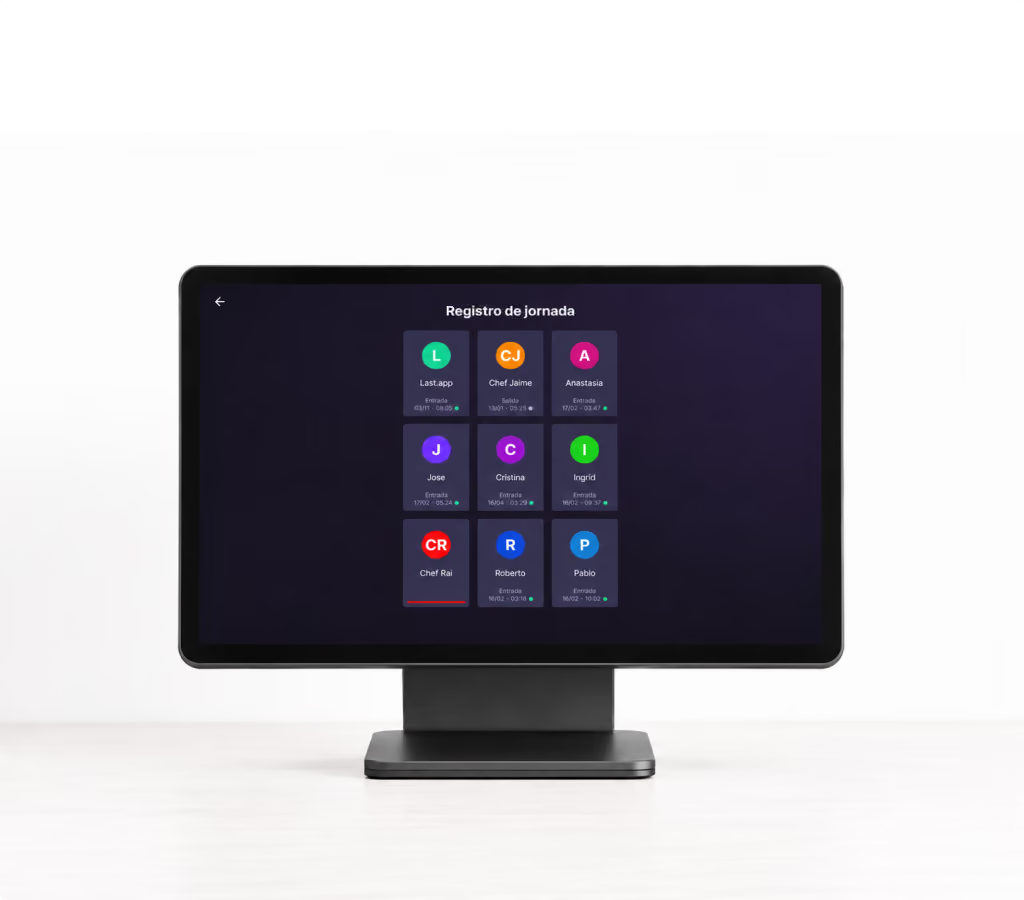
With Last.app, the team can log their clock-in and clock-out directly from the POS or from a restaurant device. Each employee clocks in with their PIN configured in their profile, creating clear, centralized records linked to each person.
The advantage is that time tracking doesn't sit separately from the restaurant's day-to-day. It's inside the same ecosystem the team already uses to work. Fewer standalone tools, fewer awkward steps.
From the reports section, you can also check attendance, filter by date range, review records, edit times when there's an incident, void shifts when needed, and add notes on any modification. You can also see who edited each record — essential for maintaining an audit trail and avoiding the classic "I didn't touch anything" that everyone in hospitality has heard at least once.
How to activate Time Tracking in Last.app
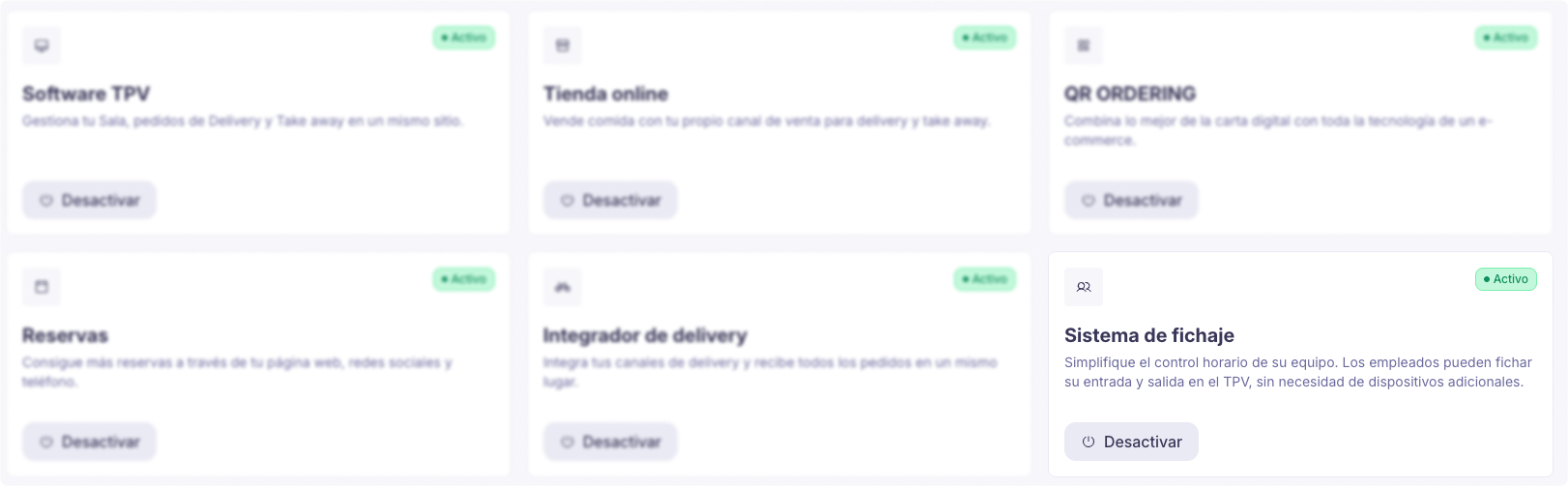
If you're already a Last.app customer, activating it is straightforward:
- Log in to the Last.app admin panel.
- Go to the Products section and activate the time tracking system.
- Access the Employees section within the Admin.
- Enable the Time Tracking option.
- Once activated, the time tracking screen inside the POS unlocks automatically.
From there, each employee can clock in and out using their PIN. And you'll have centralized, secure, and transparent attendance tracking for the whole team.
And if you're not a customer yet — what are you waiting for? Book a demo with our team.
What if my restaurant is small? A shift template can also help
Not every restaurant needs the same level of system from day one. For smaller operations with a lean team and simpler workflows, our restaurant shift template can be a good first step for organizing schedules, availability, vacation, and changes.
It's a simpler, offline option for those still managing small teams who want to move on from paper, notebooks, or the chaotic spreadsheet saved as "final_final_FINAL_v3_thistime.xlsx".
That said, a template is for planning. To properly comply with time tracking regulations, you also need to record the actual clock-in and clock-out times for each employee and keep those records as required by law.
The template can be the first step toward organized shift management. A digital time tracking system is the next step when you're ready to automate, centralize, and have reports ready without doing administrative archaeology every week.
It's not bureaucracy — it's operational control
Time tracking shouldn't feel like another burden — even when it does. In hospitality, used well, it's a management tool.
It helps you comply with the law, yes. But it also helps you understand your business better: how many hours are being worked, where overtime is being generated, which shifts are running off-schedule, when you need extra hands, and how to better protect your team.
So whatever kind of restaurant you run, don't take the risk — track your time and put the problems behind you.