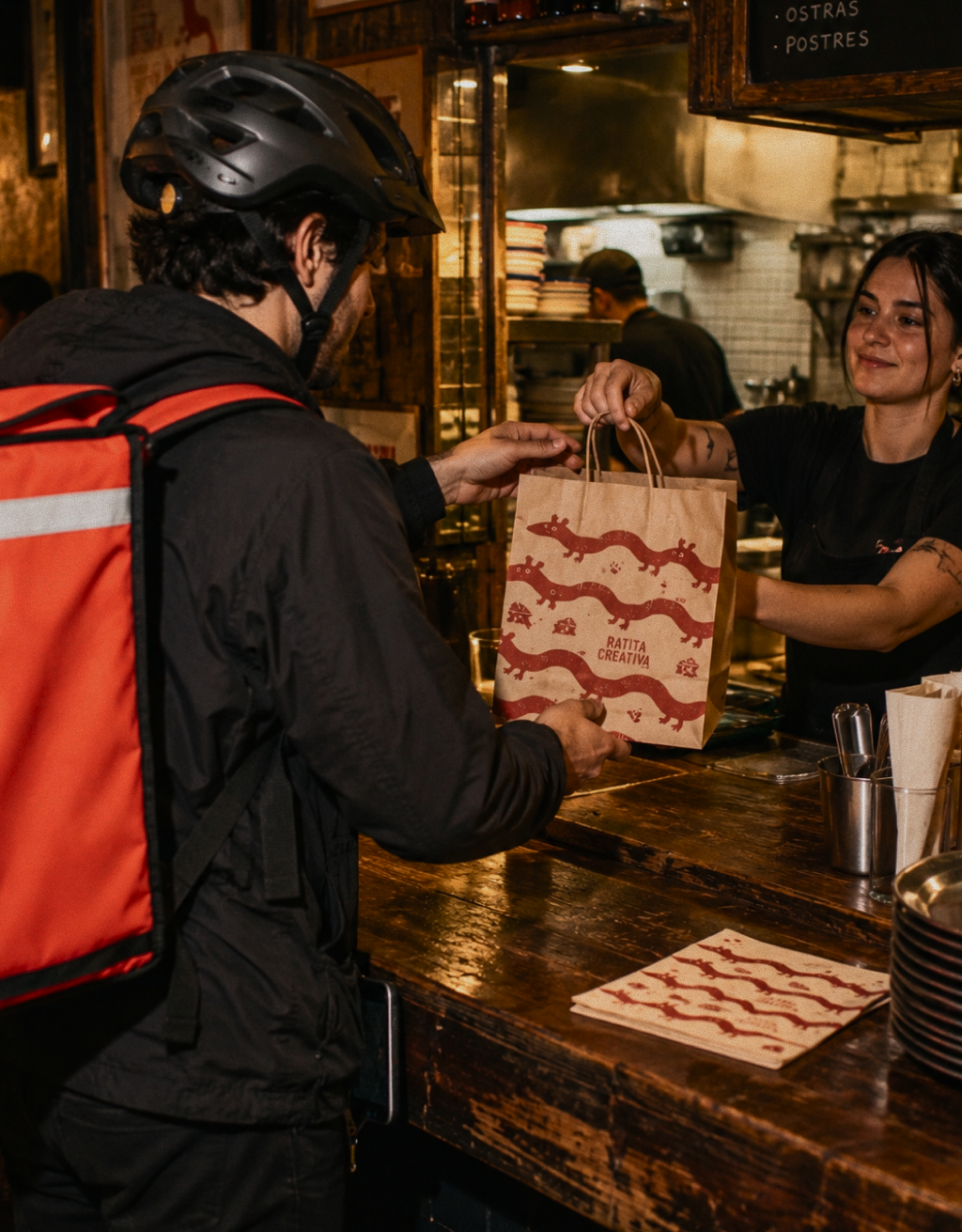
Uber Eats for restaurants: how to set it up, pricing and steps


So you want to get into the wonderful world of delivery and start selling on Uber Eats. Great idea! Here's a quick look at how it all works and how to get set up in a matter of minutes.
Signing up is pretty simple, but don't rush it. Before you start, it's worth knowing what the commissions are, how delivery works and what you need to handle orders without making life harder for the kitchen.
Here's how to set up Uber Eats for your restaurant, what it costs and how to combine it with your other delivery channels.
1. How do you set up Uber Eats for your restaurant?
To start taking orders, you first need to register your restaurant on Uber Eats, set up your menu and wait for the platform to approve your application.
These are the steps to sign up:
- Go to the official Uber Eats sign-up page. Enter your restaurant's name or address to get started.
- Fill in your business details. Uber Eats will ask about the venue, its location, how many sites you have and your approximate order volume. The restaurant needs the relevant licence and has to be in an area the platform covers.
- Get your menu ready. Add products, descriptions, prices and photos (and, as always, we'll say it again: photos matter far more than you'd think). You'll also need to set your opening hours and choose how you want to fulfil orders: with Uber Eats couriers, with your own team or as customer collection from the restaurant.
- Check the commercial terms. Before you accept, always check the commissions, any extra charges and the contract terms. Complete the legal and banking paperwork they ask for.
- Wait for approval and switch your restaurant on. Once your details have been checked and setup is finished, you can start taking orders through the platform, or straight into your POS if you use a compatible integration.
How long does Uber Eats take to activate a restaurant?
According to Uber Eats, the process can be done in a few days, although it depends on the venue, the paperwork and how many sites you want to activate.
If you already have an account and just need to connect Uber Eats to your POS, the integration can be done much faster. The platform says that, depending on the technology provider, the connection can be ready almost instantly or take around two days. Last.app, for example, lets you activate it straight from its integrations marketplace.
2. Why sell through Uber Eats?
The main advantage of Uber Eats is that it lets you sell where customers are already looking for something to eat. Nobody needs to know your restaurant to find it. Once you're on Uber Eats, your restaurant becomes one of the options for thousands of customers browsing the app for somewhere to order from.
To put some numbers on it, it's one of the big players in Spain. According to Fox Intelligence data, Uber Eats had a 28.5% market share in June 2025, making it the country's second-largest operator.
Another strength is its promotional activity. For years, Uber Eats has used discounts, offers and perks for Uber One subscribers to attract customers and get them ordering again.
For restaurants, that's a chance to gain visibility and take part in promotions. Just check who covers the cost of each offer, because not every discount is funded by the platform.
What about the couriers?
The elephant in the room. In January 2026, Uber Eats announced it was moving away from self-employed couriers in Spain, switching to salaried workers employed through partner logistics companies, in line with Spain's Rider Law.
For your restaurant, the practical advantage is still the same: you can offer home delivery without hiring your own fleet. That said, as with any platform, courier availability and delivery times will depend on your area and on demand.
3. How much does Uber Eats charge restaurants?
The bit everyone cares about most: your wallet. How much will they charge you? Uber Eats takes a commission on the orders you receive through its platform. The percentage mainly depends on who does the delivery.
These are the published rates for restaurants in Spain as of October 2026:
| Option | Commission | Uber One orders |
|---|---|---|
| Delivery by Uber Eats couriers | 30% | 33% |
| Delivery by your own couriers | 15% | 13% |
| Customer collection | 15% | 15% |
Rates published by Uber Eats on its website for Spain. Final terms depend on your commercial agreement.
For example, on a €30 order delivered by Uber Eats with a 30% commission, you'd pay €9 to the platform and keep €21 before tax, extra charges and preparation costs.
Bear in mind that terms can vary depending on your commercial agreement. There may also be onboarding fees, additional services, advertising or promotions.
You can check the latest terms on the official Uber Eats pricing page.
Are these commissions worth paying? It depends on your restaurant. If you're just starting out, the marketplace can help you win customers who don't know you yet. But if you already have regulars, you'll also want to build your own sales channels so you keep more margin on every order.
4. Can you combine Uber Eats with Glovo, Just Eat or your own online shop?
Yes. You can work with Uber Eats and other delivery platforms at the same time. You can also take orders directly through your own online shop.
In fact, combining both models can be a good strategy. The platforms help you reach new customers, while your online shop lets you grow direct sales and rely less on marketplace commissions.
The problem starts when all those channels are taking orders at once, and that's where a delivery integrator becomes a lifesaver. Because a bar with four tablets going off at the same time isn't anyone's idea of a good service.
With Last.app you can connect Uber Eats, Glovo, Just Eat and your own online shop to your restaurant's POS, so orders land in a single system without anyone keying them in by hand.
The Uber Eats integration can also accept orders automatically and sync your menu, opening hours and product availability. So if a dish sells out mid-service, you can update its availability from Last.app without going into each platform.
5. How do you integrate Uber Eats with Last.app?
Integrating Uber Eats with Last.app is pretty straightforward, and you can start the process straight from the admin panel:
- Log in to your Last.app admin panel.
- Go to Apps y Hardware → Integraciones → Marketplace.
- Find Uber in the list and click Instalar.
- Select the brand you want to integrate and fill in the form with an internal name and the public link to your Uber Eats store.
- Click Solicitar integración and wait for Uber Eats to approve it. The platform has to validate the connection on its side, and we'll email you as soon as it's ready.
Before you send the request, check that the brand has a menu assigned and its opening hours set up, because the integration won't work properly without them. Once it's approved, Uber Eats orders will go straight into your Last.app POS, where you can manage them alongside the rest of your sales channels.
6. Send Uber Eats orders straight to the kitchen with a KDS
When delivery volume picks up, the kitchen needs more than a printer churning out paper non-stop.
Last.app's KDS shows orders on kitchen screens and lets you organise them by station, status and preparation time. Orders from the POS, the dining room, the online shop and your connected delivery channels can reach the kitchen in real time.
Each station only sees what it needs to prepare. The grill gets grill orders, the bar gets drinks and the packing area can check which orders are ready to go out. Timers help you spot delays, and the team can see whether an order has been received, is being prepared or is ready, without shouting order numbers from one end of the kitchen to the other.
Uber Eats for restaurants: frequently asked questions
Which is better: Glovo, Uber Eats or Just Eat?
No single platform is best for every restaurant. Glovo has a very strong presence in Spain, Uber Eats has a large user base and Just Eat is also a well-established option.
The best choice will depend on your location, the commissions you negotiate, demand for each app in your area and the kind of customer you want to reach. Our advice? Try a few platforms and compare the orders and margins each one brings in. Then decide based on your own experience.
Can I switch off Uber Eats whenever I want without a penalty?
You can temporarily close your restaurant on Uber Eats from the opening hours and availability settings. That's handy during holidays, refurbishments or whenever you need to stop taking orders.
If you want to leave for good, you'll need to check your contract terms, notice periods and any commercial commitments. Closing temporarily isn't the same as cancelling the agreement.
Do I need my own couriers to use Uber Eats?
No. You can use the Uber Eats courier network, hire your own delivery service or just offer customer collection from the restaurant. Each option has its own commissions and terms.
Can I charge different prices on Uber Eats and in my restaurant?
Yes, you can set your menu prices on Uber Eats, and they can differ from your in-house prices. Just work out your margins carefully so you don't automatically pass every commission on to the customer and lose ground against other restaurants.
Do I need an Uber Eats tablet to receive orders?
Not necessarily. If you use a POS that's compatible with Uber Eats, such as Last.app, you can receive and manage orders straight from your restaurant's system, without needing a separate tablet for each platform.